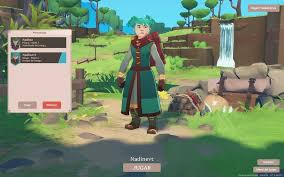
Quick answer
Farever Beginner Guide quick answer
Start by learning your class, checking the Collection Menu, unlocking early mobility, and using H. Catchum's companion quest as a safe tutorial-style goal. Treat exact rewards and patch-sensitive names as verification tasks.
Steps
Farever Beginner Guide safe route
Choose your class with current naming
Use Warrior, Rogue, Mage, and Priest as the player-facing class set. Mention Cleric only as an alternate or older label.
Open the Collection Menu
Check mounts, gliders, cosmetics, and companions early so you know what free or unlocked rewards are already available.
Use H. Catchum as an early goal
Gotta Catch One is a strong beginner objective because it teaches companions and capture tools.
Follow proof labels
Use confirmed rows for decisions, reported rows as leads, and Needs verification rows as things to screenshot before treating them as final.
Confirmed facts
Confirmed Farever Beginner Guide facts
Source: Local screenshot review
Source: External class card and third-party guides
Source: MetaForge and FareverDB
Source: Sportskeeda and video narration
Reported claims
Reported Farever Beginner Guide claims
Source: Sportskeeda and YouTube guides
Source: Sportskeeda and Steam community report
Source: YouTube route video
Guide details
Farever Beginner Guide in-game details
First-session route
The best beginner route is not a perfect speedrun. It is a low-risk checklist that teaches the systems players will use for the next several hours: class identity, collection rewards, companion capture, and mobility.
Start by choosing a class. This wiki uses Warrior, Rogue, Mage, and Priest as the player-facing set. Cleric appears in older or third-party references, but current page copy should use Priest as the primary label unless official UI proves otherwise.
Beginner checklist
| First goal | Why it matters | Proof status |
|---|---|---|
| Learn your class resource and weapon flow | Most combat decisions start here | Confirmed enough for guide use |
| Open the Collection Menu | Mounts, gliders, companions, and cosmetics are managed there | Reported |
| Check free shop rewards | Early mobility and companion claims may be available | Reported |
| Find H. Catchum | Starts the companion capture loop | Confirmed |
| Learn Large Butterfly Net | Teaches manual companion capture | Confirmed |
| Avoid exact drop-rate chasing | Current data is incomplete | Confirmed as editorial rule |
What to do first
After character creation, spend a few minutes learning your class buttons before chasing build advice. For a new player, a smooth class is better than an unverified “best” setup.
Next, open the Collection Menu and inspect what you already own. If free rewards are available, claim them and verify their exact names. Mounts and gliders can make early exploration feel much better, but this page avoids locking exact free item names until the shop UI is readable.
Then use Gotta Catch One as your early system quest. It is a good beginner target because it introduces H. Catchum, companions, and the Large Butterfly Net capture tool.
What beginners should avoid
Avoid spending heavily around unverified advice. Do not chase a “best pet” tier list before companion bonuses are proven. Do not build around exact mount names before the UI spelling is locked. Do not follow old Cleric wording when the current player-facing class page should say Priest.
Best next pages
If you are quest-blocked, read the Gotta Catch One guide. If you want to understand pets, read the Companion Guide first rather than a separate Pets page. If you care about movement, read the Mounts Guide. If you want a hidden reward after learning traversal, read the Crystal Mall route page.
Beginner build advice
Do not chase a final build in the first session. Farever’s class pages and build pages can help later, but the first hour should be about control comfort, resource rhythm, and weapon feel. A player who understands their buttons will progress faster than a player copying an unverified build with missing talent proof.
For class naming, use Priest as the main support class label. If you see Cleric in older guides, treat it as an alternate label unless current UI says otherwise. This keeps beginner advice consistent with the build pages and avoids splitting search intent across two names.
Beginner proof priorities
The most useful beginner screenshots are not dramatic combat shots. They are UI frames: class select, Collection Menu, shop free rewards, Gotta Catch One quest log, Large Butterfly Net tooltip, and companion collection entries. Those images help the wiki answer common beginner questions with proof instead of guesswork.
If you are collecting proof while playing, capture one UI element at a time. A readable tooltip is better than a beautiful wide screenshot. A quest log with exact objective text is better than a summary from memory. A shop item frame with the exact spelling is better than a video title.
What to ignore at first
Ignore exact drop-rate claims, max-level claims, boss spawn timers, and best-in-slot gear tables until the wiki has stronger evidence. Those topics are tempting, but they are not the first bottleneck for most beginners. The first bottleneck is usually orientation: where to go, what the UI is called, what a system does, and which claims are safe to trust.
This is why the beginner page links to Gotta Catch One, Companion Guide, Mounts Guide, and Crystal Mall Rewards. Those pages form a practical early path: learn the UI, get a companion, improve mobility, then chase hidden rewards.
Needs verification
Farever Beginner Guide verification checklist
- Current class select UI with all four class names in one readable frame.
- Free reward shop UI showing exact mount, glider, and companion names.
- Gotta Catch One quest log and reward UI.
- Companion tooltip or stats UI proving whether companions have bonuses.
FAQ
Farever Beginner Guide FAQ
Which class name should I use, Priest or Cleric?
Use Priest as the main class name. Cleric appears in older or third-party references, so it should be mentioned as an alternate label only.
What should I do first in Farever?
Learn your class basics, check the Collection Menu, then use H. Catchum's companion quest as an early guided objective.
Should beginners chase hidden Crystal Mall rewards immediately?
Not first. Learn movement and the Collection Menu first, then use Crystal Mall as a hidden reward route once you can follow traversal paths comfortably.
Can I trust all Early Access guide claims?
No. Use confirmed claims for decisions and treat reported claims as leads until a readable UI screenshot or database string verifies them.